Открыть меню специальных возможностей Перейти к содержимому страницы

Turn raw clips into a polished video with our AI video editor

Automatically add captions, voiceovers, and music. Our AI video editor handles the edits while you handle the story.

Build a video fast with our AI video editor.

PosterMyWall's AI video editor turns raw footage or a simple prompt into a video ready to post. Trim clips, add transitions, and drop in music, or describe the video you want and let AI Video build a first draft in seconds.

Add captions and voiceovers with our AI video editor.

Skip the recording booth: add auto-generated subtitles with AI Subtitles so viewers can watch with the sound off, or add a natural-sounding voiceover with AI Voice without saying a word yourself. Resize the same video for Instagram Reels, TikTok, and YouTube Shorts in a click.

Publish anywhere with your AI video editor.

Once your video is ready, publish it straight to your social pages from the same dashboard, or pair it with a matching flyer or event page for a bigger push. Your AI video editor and the rest of your marketing live in one app.

Воспользуйтесь более интеллектуальным маркетингом на базе AI с PosterMyWall Premium.

Зачем использовать PosterMyWall

How to use PosterMyWall AI

  1. Log in or sign up

    Log in to PosterMyWall or sign up for free.

  2. Click on “Create with AI”

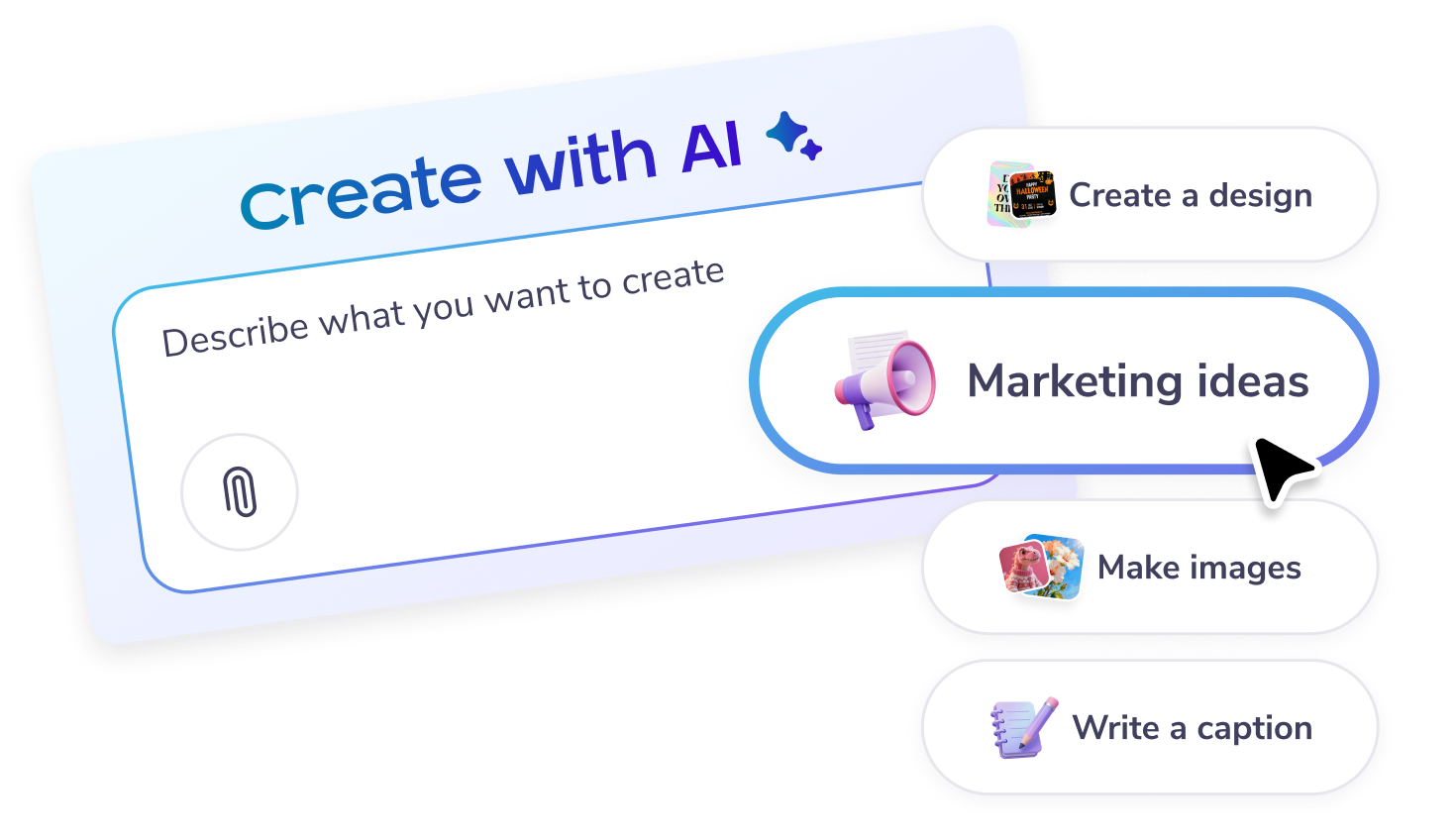
    Start a chat in the chat box on the main page, or click on the “Create with AI” option on the left panel.

  3. Enter a prompt

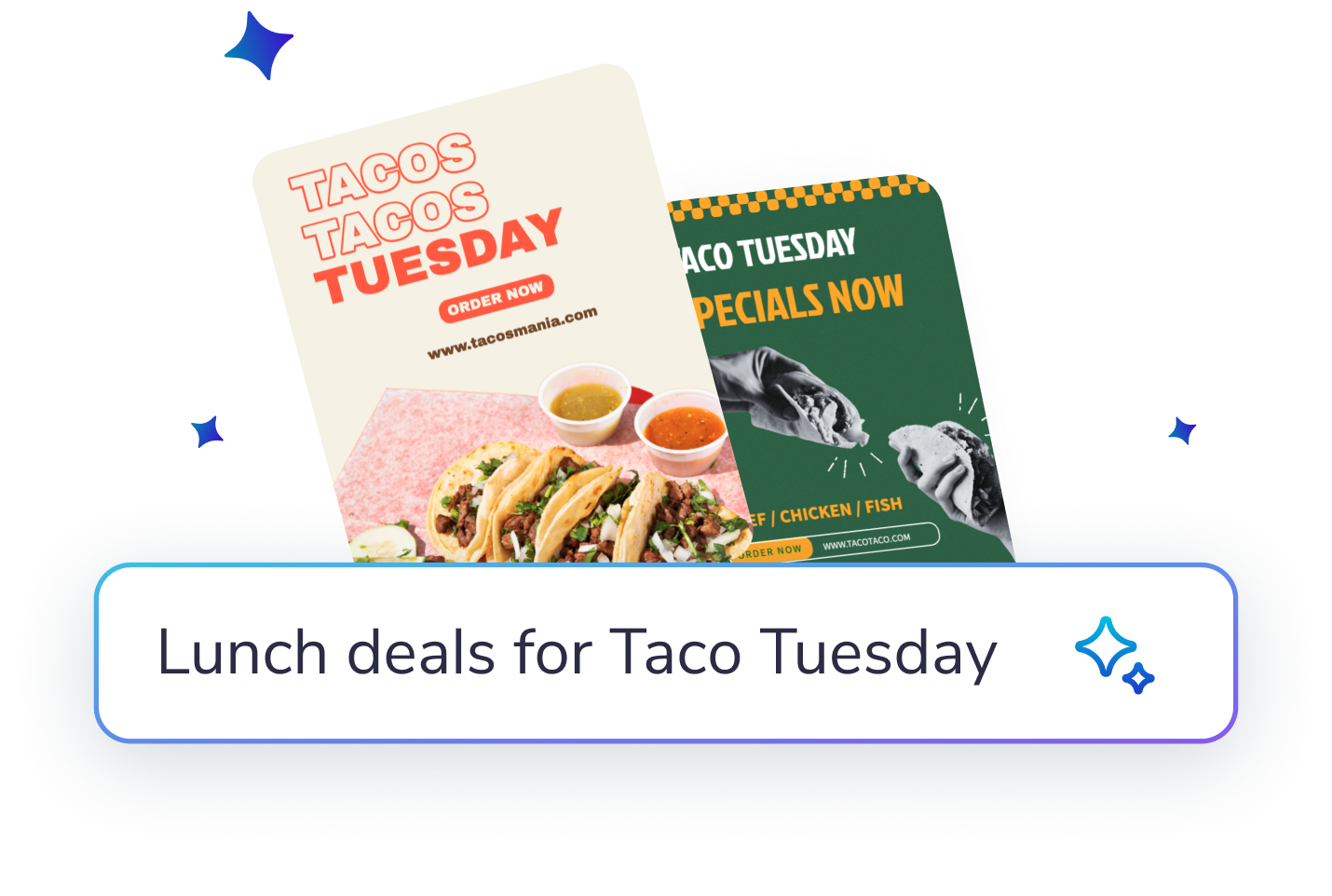
    Describe what you would like to create: designs, posters, social posts, email content, captions, marketing ideas - or get inspired from the on-screen options.

  4. Fine-tune

    Enter feedback or suggestions to improve the AI’s results further. Try adding images, or more specific details to get the result you want!

  5. Download or Publish

    Customize the image or design further in the editor. You can add text or more elements. Or download, share and publish as it is.

Универсальная маркетинговая платформа на базе AI

Создавайте, рассылайте и отслеживайте – всё в одном месте

Легкий маркетинг начинается здесь

Легкий маркетинг в соцсетях

  • Создавайте трендовые видео для соцсетей с помощью Timeline и AI-субтитров и публикуйте их!
  • Быстро создавайте подписи с помощью нашего AI-писателя — творческий кризис больше не грозит.
  • Размещайте публикации и истории во всех соцсетях одним щелчком мыши. Ваш охват еще никогда не был таким обширным!
  • Планируйте публикации во всех своих соцсетях заранее. Просто настройте их и больше ни о чём не беспокойтесь.
  • Создавайте видео с помощью хроники и AI-субтитров.
  • Быстро создавайте подписи, воспользовавшись нашим AI-писателя — творческий кризис больше не грозит.
  • Размещайте публикации и истории во всех соцсетях одним щелчком мыши.
  • Планируйте публикации во всех своих соцсетях заранее. Просто настройте их и больше ни о чём не беспокойтесь.
Легкий маркетинг начинается здесь

Электронные рассылки без необходимости компьютерного программирования для пользователей-непрограммистов

  • Выбирайте из более чем 3600 профессионально разработанных шаблонов электронных писем.
  • Настраивайте эскизы, пользуясь шаблонами разделов, различными стилями, тегами слияния и другими возможностями.
  • Отправляйте до 10 000 электронных писем каждый месяц.
  • Создавайте формы подписки на рассылку, чтобы расширять свой круг участников.
  • Выбирайте из более чем 3600 профессионально разработанных шаблонов электронных писем.
  • Настраивайте эскизы, пользуясь шаблонами разделов, различными стилями, тегами слияния и другими возможностями.
  • Отправляйте до 10 000 электронных писем каждый месяц.
  • Создавайте формы подписки на рассылку, чтобы расширять свой круг участников.
Легкий маркетинг начинается здесь

Создавайте эскизы с помощью простых инструментов

  • Разблокируйте возможность неограниченного скачивания изображений и видео с высоким разрешением
  • Создавайте эффектные фотографии продуктов, воспользовавшись функцией удаления фона с помощью AI.
  • Превратите творческую идею в реальность с помощью AI-изображений.
  • Разработайте согласованный фирменный стиль в рекордные сроки с помощью брендовых наборов.
  • Разблокируйте возможность неограниченного скачивания изображений и видео с высоким разрешением.
  • Создавайте эффектные фотографии продуктов, воспользовавшись функцией удаления фона с помощью AI.
  • Превратите творческую идею в реальность с помощью AI-изображений.
  • Разработайте согласованный фирменный стиль в рекордные сроки с помощью брендовых наборов и пользовательских шрифтов.
Легкий маркетинг начинается здесь

Оптимизируйте график маркетинговых кампаний

  • Планируйте публикации в соцсетях и электронные рассылки на определенные даты в будущем.
  • Планируйте кампании в едином календаре и придерживайтесь графика.
  • Никогда не упускайте очередную маркетинговую возможность.
  • Планируйте публикации и электронные рассылки на определенные даты в будущем.
  • Планируйте кампании в едином календаре и придерживайтесь графика.
  • Никогда не упускайте очередную маркетинговую возможность.
Легкий маркетинг начинается здесь

Создайте ажиотаж вокруг вашего следующего мероприятия

  • Привлекайте участников с помощью неограниченного количества настраиваемых страниц мероприятий.
  • Создавайте захватывающие описания мероприятий с помощью AI-писателя.
  • Мгновенно публикуйте свое мероприятие во всех соцсетях.
  • Рекламируйте свое мероприятие с помощью готовых к отправке электронных писем.
  • Привлекайте участников с помощью неограниченного количества настраиваемых страниц мероприятий.
  • Создавайте захватывающие описания мероприятий с помощью AI-писателя.
  • Мгновенно публикуйте свое мероприятие во всех соцсетях.
  • Рекламируйте свое мероприятие с помощью готовых к отправке электронных писем.
Легкий маркетинг начинается здесь

Оптимизация маркетинга с помощью AI

Ознакомьтесь с другими шаблонами эскиза

Знакомьтесь с нашими продуктами

Часто задаваемые вопросы

What is an AI video editor?

An AI video editor is a tool that uses artificial intelligence to help users edit videos quickly and easily. At PosterMyWall, our AI video editor simplifies the editing process, providing a user-friendly interface that suits everyone, even those with no prior experience. Create professional-quality videos with minimal effort using our platform.

How can I create a video using an AI video editor?

Creating a video with an AI video editor on PosterMyWall is simple and fast. Start by choosing from our extensive collection of design templates, specifically tailored for various themes and occasions. Customize your template by adding text, images, and effects. The AI video editor takes care of the technical aspects, allowing you to focus on your message.

Does the AI video editor support subtitles?

Yes, PosterMyWall's AI video editor supports the addition of AI subtitles. This feature automatically generates subtitles for your videos, making them accessible to a wider audience. It's perfect for content creators looking to engage viewers who may be watching without sound or who speak different languages.

Can I use an AI video editor to add voiceovers?

Absolutely! Our AI video editor includes an AI Voice feature, allowing you to add professional-quality voiceovers to your videos. Simply input your script, and the AI Voice will generate a natural-sounding narration. This is ideal for promotional videos, tutorials, and more.

Is there a way to remove backgrounds in videos with an AI video editor?

Yes, PosterMyWall's AI video editor includes an AI background remover. This feature lets users effortlessly eliminate unwanted backgrounds from their videos. It’s a great tool for creating polished, professional-looking content without needing advanced editing skills.

How can busy users benefit from an AI video editor?

PosterMyWall's AI video editor saves time for busy users by automating complex editing tasks. With the help of the PosterMyWall AI feature, you can quickly create and edit videos without needing in-depth knowledge or experience. This allows you to focus on other important aspects of your business or project.

Can I collaborate with others using an AI video editor?

Yes, PosterMyWall's AI video editor supports collaboration through PosterMyWall Teams. This feature enables multiple users to work on the same project simultaneously. It's perfect for teams who need to collaborate on video content without the hassle of managing multiple files or versions.

How does PosterMyWall's AI video editor help with branding?

PosterMyWall's AI video editor integrates seamlessly with our Brand Kits feature. This allows you to maintain brand consistency across your video content. Easily apply your brand's colors, fonts, and logos to ensure that all your videos align with your business's identity.

Can I schedule video posts created with an AI video editor?

Yes, once you've created your video using the AI video editor, you can schedule it for social media posting using our schedule maker. This integration with the Content Planner ensures your content is published at optimal times, reaching your audience when they're most active.

Is there an option for high-quality downloads with an AI video editor?

Yes, PosterMyWall's AI video editor allows you to download high-quality videos. By subscribing to PosterMyWall Premium, you can enjoy unlimited downloads, ensuring that your content looks crisp and professional, whether it's for online use or offline presentations.

Сравнить PosterMyWall















